
Song requests for your TeamSpeak server
Write a song in chat. Mendil plays it in your channel.
Quick startSet your server, then docker compose up
Install
mkdir mendil && cd mendilcurl -fsSLO https://raw.githubusercontent.com/ulaski/mendil/main/docker-compose.ymlcurl -fsSL -o .env https://raw.githubusercontent.com/ulaski/mendil/main/.env.example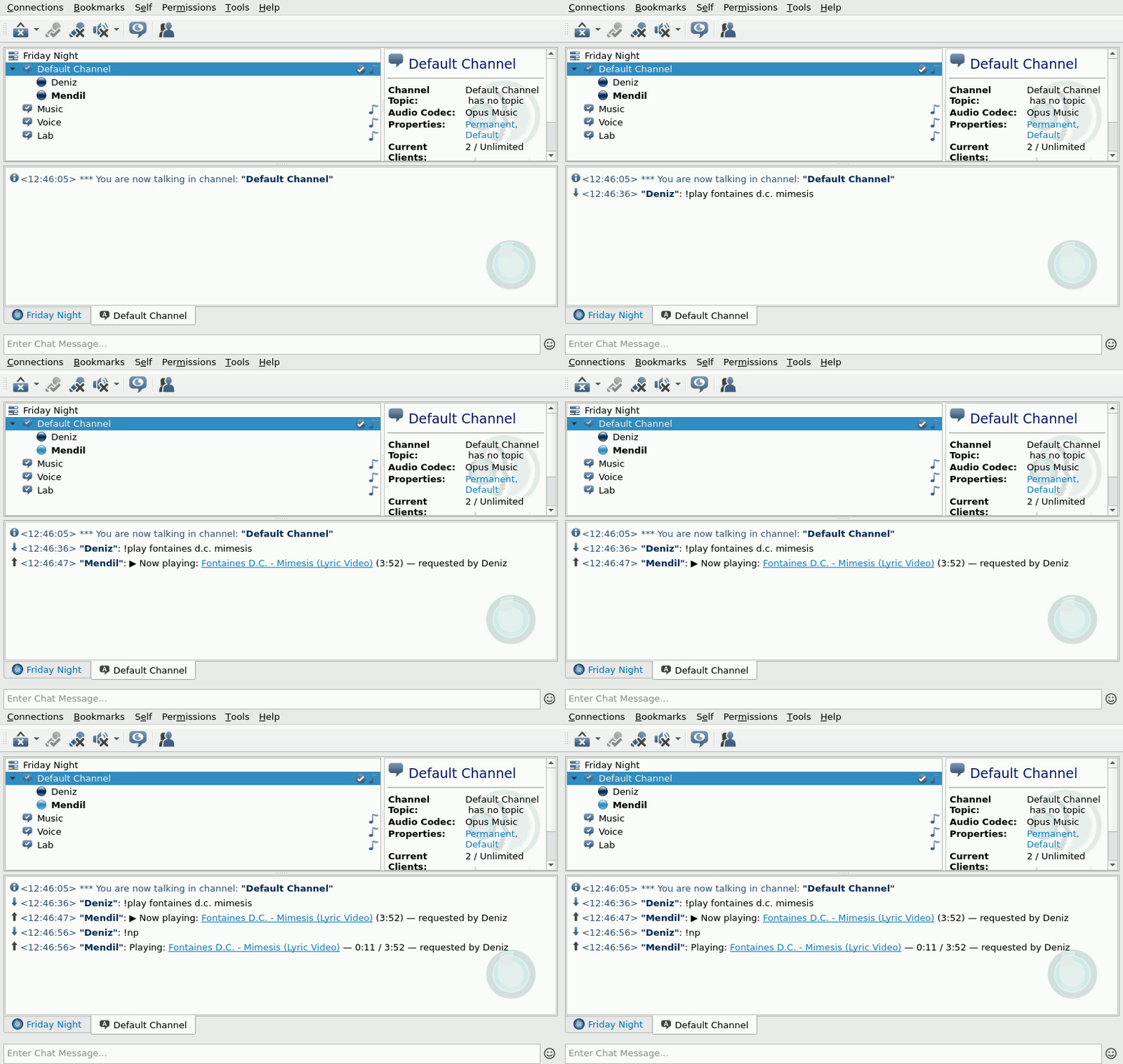
Pick a selection
Everything happens in the chat you already use.
Example chat
- Deniz!play fontaines d.c. mimesis
- Mendil▶ Now playing: Fontaines D.C. - Mimesis (Lyric Video) (3:52) — requested by Deniz
Read C1: Commands
Two ways into your server
Classic
TeamSpeak’s own client, run without a screen.
x86_64. About 300 MB of memory. Needs the Opus Music codec for good sound.
Native experimental
Speaks the TeamSpeak protocol itself.
x86_64 and ARM64. About 80 MB. Plays in stereo in any channel.
One setting switches between them. E1: How it works
mendil men-DEEL, a napkin
In Türkiye, people at a gazino or meyhane wrote their song request on a napkin and passed it up to the band. Mendil does the same for your TeamSpeak server.